Allow guest play
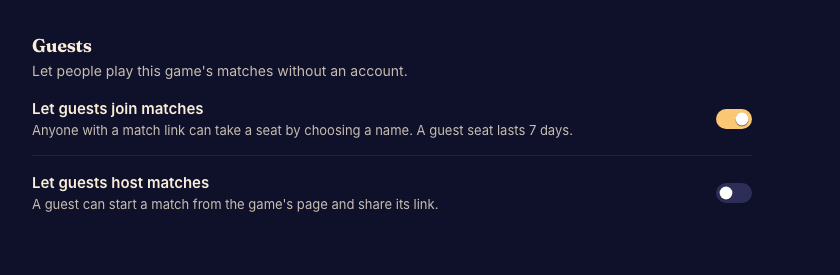
Admins can allow people to join ordinary matches without creating an account first. The game creator must have guest-play access.
Set the policy
- Open Guests under Access. Done when the guest-policy controls appear.
- Allow guest joining if that is how you want to run the game. Done when the saved policy permits a guest to join an eligible match.
- Enable guest hosting only if guests should also create matches. Hosting depends on joining being allowed. Done when the saved policy matches both choices.
- Check a match link while signed out. Done when it offers the entry path you intended.
Events and guest identity
Event tables have their own guest policy. Changing this page does not replace that policy. Give attendees Play as a guest so they know how to keep their identity after testing.