Review matches and feedback
Matches connects playtest results with the version people actually played. Editors use it to inspect sessions and feedback.
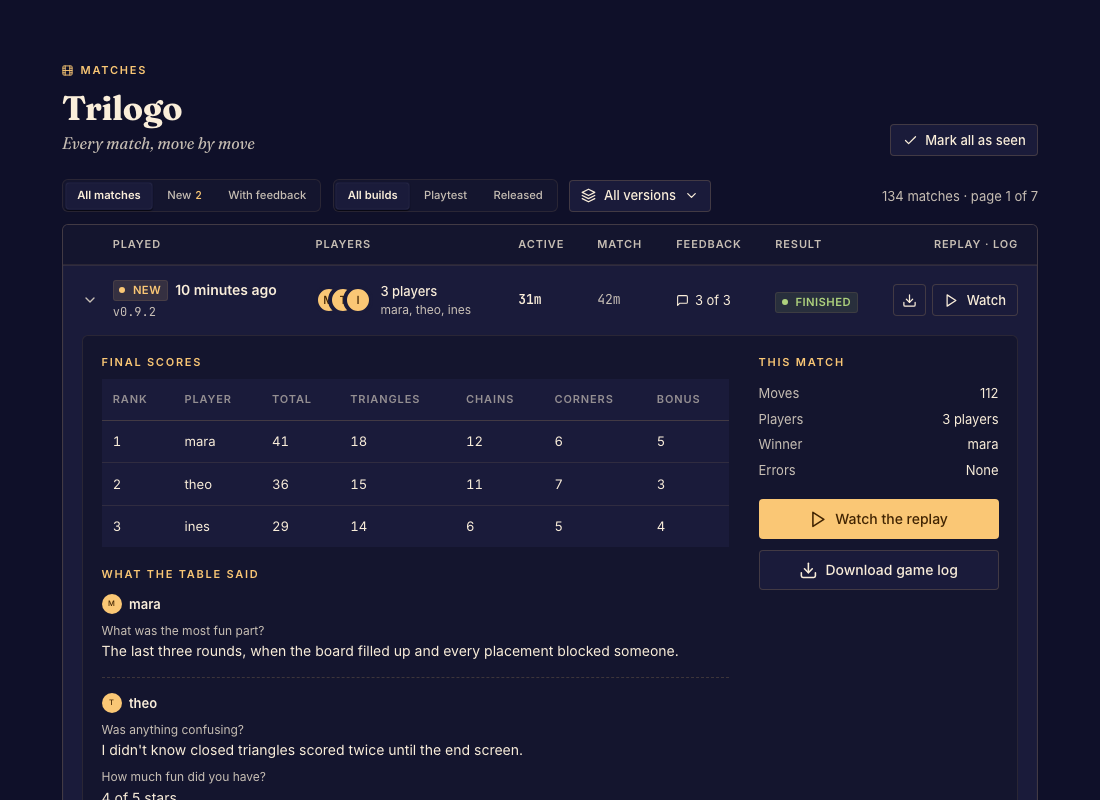
Review a session
- Open Matches and narrow the list using the available version, status, new, and feedback filters. Done when you can find the session you want.
- Open its details and read the scores and submitted answers. Done when you know the result and the tester's account of it.
- Open the replay when available to inspect the relevant move. Done when you can reproduce or explain the issue against that version.
Information you can inspect
Older framework matches also expose their game log to editors. Framework preview replays keep private seat information restricted, even for an editor who was not seated.
The sidebar's unread count helps you find sessions you have not opened. Use Game statistics for aggregate patterns.