Invite collaborators and playtesters
Admins invite collaborators and playtesters from Members. Choose the least access the person needs for the work.
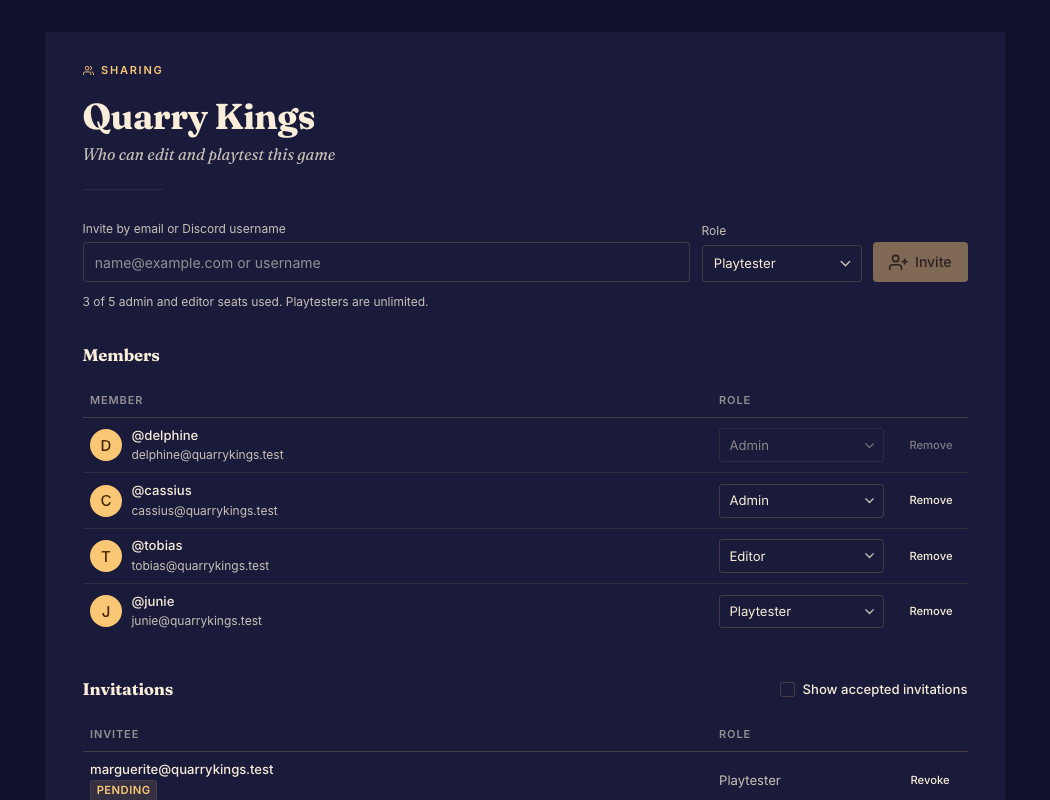
Invite someone
- Open Members and enter the invitee's details. Choose admin, editor, or playtester. Done when the invitation shows the intended person and role.
- Send or share the invitation through the offered controls. Done when a pending invitation appears.
- Ask the invitee to open the invitation and accept it with their account. Done when they appear as an accepted member.
Change or remove access
Use the member's controls to change a role or revoke access. Review pending invitations separately; an expired invitation needs a fresh invitation. Sending an invitation does not guarantee its email was delivered, so use the available invitation link when necessary.
Boardweaver protects against removing the last admin. Read Roles and permissions before changing access.