Open a public playtest
A public playtest makes a selected committed version available beyond your invited members. Use release controls as a game admin.
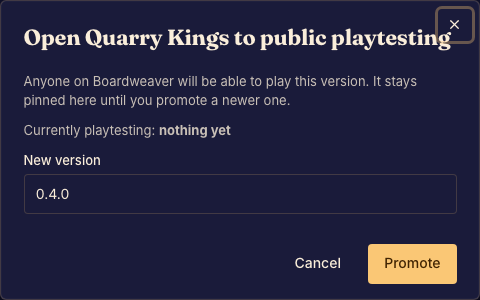
Open or update testing
- Commit and test the version you want people to play. Done when that version is selectable in release controls.
- Open Release and choose the public playtest version. Follow any eligibility messages shown. Done when Studio identifies the selected version as the public playtest.
- Open the public game link and check its listing and play path. Done when players can reach the intended version.
End public testing
Use the release control to end the public playtest. New visitors no longer start through that public test channel. Matches already in progress keep their original version and continue.
Updating a public test is different from publishing a game. See Game versions and release channels for the distinction.