Translate a game
Translations in Studio are available for framework preview games. The default catalog supplies the source messages; this interface edits translations of those messages.
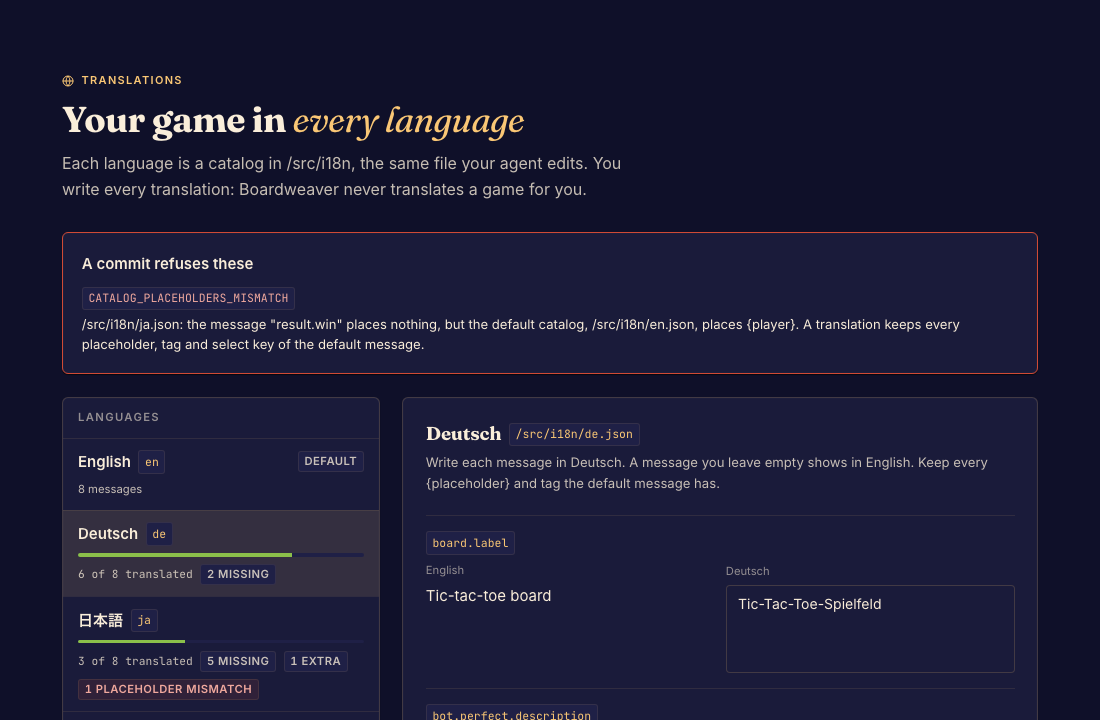
Add or repair a translation
- Open Translations and choose an existing locale or add one. Done when the selected language appears beside the default messages.
- Translate the messages while preserving their placeholders. Review missing keys, extra keys, and placeholder warnings. Done when the intended messages have valid translations.
- Choose Save translations. Done when the edited catalog is saved and its draft indicator clears.
- Preview the game in that language and commit. Done when the text fits and validation accepts the catalogs.
Source text and missing messages
Edit default-language messages in the authored source catalog, not this translation editor. Missing translations can fall back to the default language, so a readable preview alone does not prove coverage is complete.
See Translate game text for message syntax and validation.