Share and display table codes
Each table has its own join destination. Give players the code for their table so unrelated groups do not join the same queue.
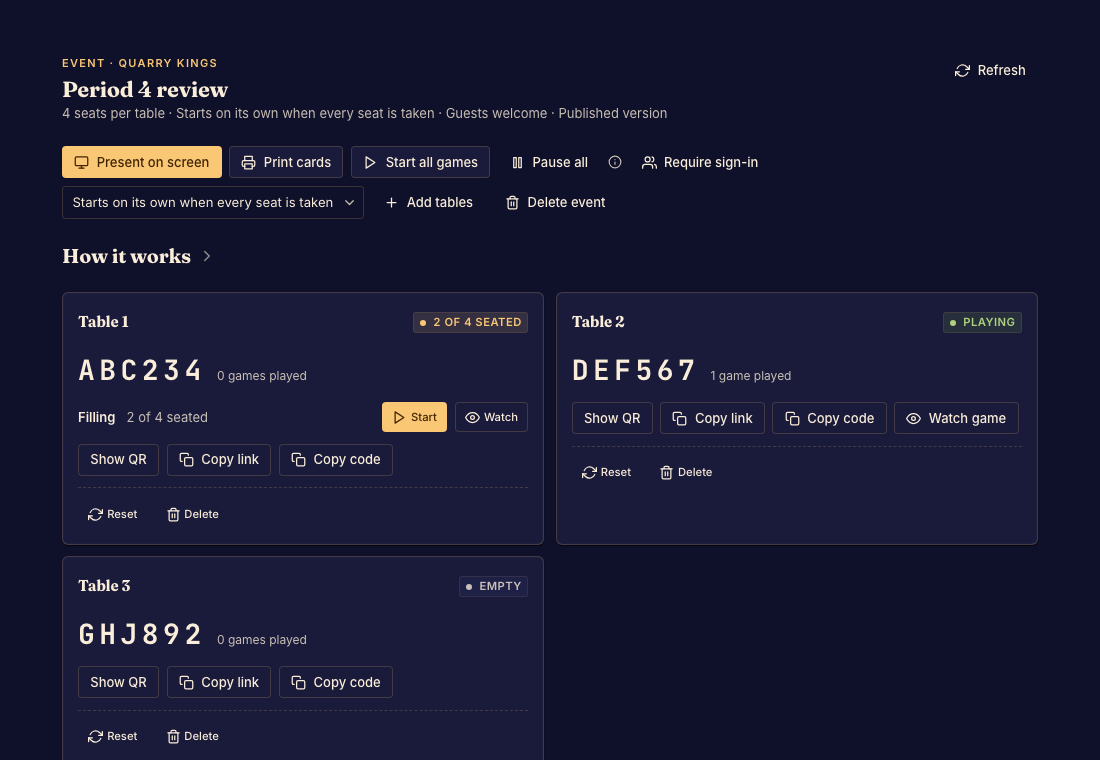
Prepare codes for the room
- Open the event's organizer page and copy a table link or code. Done when opening it reaches the expected table.
- Use the print view to prepare QR cards for physical tables. Done when each printed card names the correct table and scans successfully.
- Use the presentation view for a shared display. Done when people can read the table codes from where they are seated.
Check after changes
If you remove or recreate a table, recheck the cards and links you distributed. An old printed code does not automatically become the code for a new table.
Give attendees Join an event table if they need help entering a code or waiting for the organizer to start.