Edit game files
Editors and admins can edit a game's source. Use the framework docs for the exact files and exports your version requires.
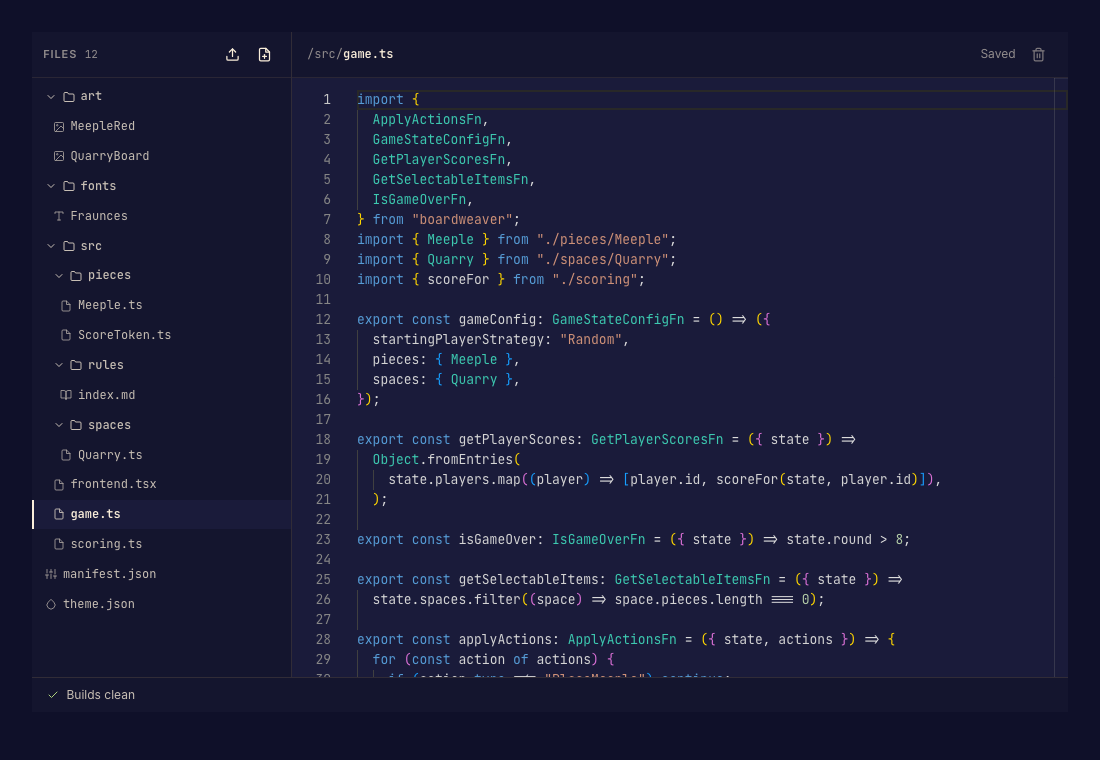
Make an edit
- Open Code in the Studio sidebar and select a file. Done when the editor shows the file you intend to change.
- Edit the content and save through the editor's save control. Use the file tree's create, rename, or delete actions when changing the structure. Done when the saved working file contains your change.
- Read diagnostics and preview the game. Done when the change builds and behaves as expected.
- Commit a version when the working files are ready. Done when a new version is recorded.
Protected files
Generated declarations and build outputs are maintained by Boardweaver. Change their authored source instead. Deleting or renaming a file can break imports, so repair references before committing.