Investigate game errors
Errors helps editors connect a reported failure with a game version or match. Start with the error details rather than changing unrelated files.
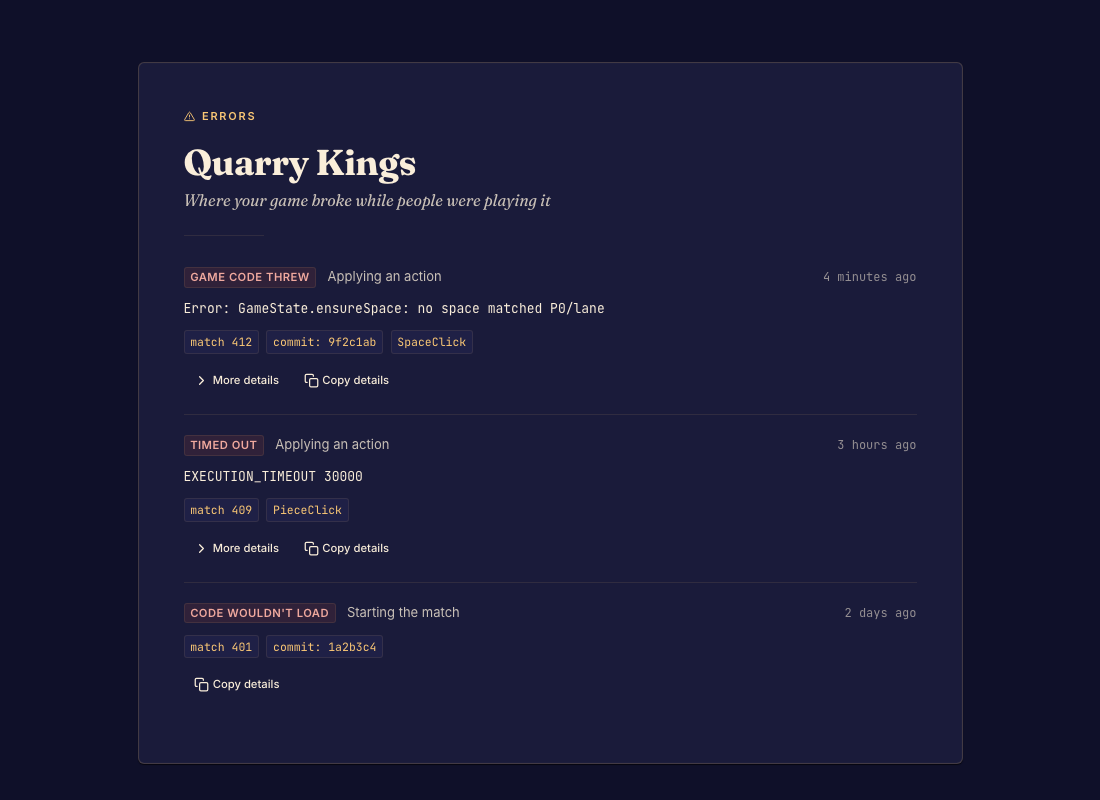
Investigate a failure
Open Errors and select a report. Record the affected version, message, and match information shown. Try the same action in the preview or replay when possible.
For a build failure, inspect the file and diagnostic named by the commit or editor. For a runtime failure, identify the position and action that caused it. Give your coding agent those details and the matching framework version.
Verify the fix
Save the correction, reproduce the original situation, and check nearby cases. Commit a version only after the failure no longer occurs. Update the appropriate playtest channel if new players should receive the fix.
An existing match remains on its original commit. A new commit does not silently replace the code in that match.