Delete a game
Game admins can remove a game from normal access. Check that you have chosen the right project before confirming.
Delete a project
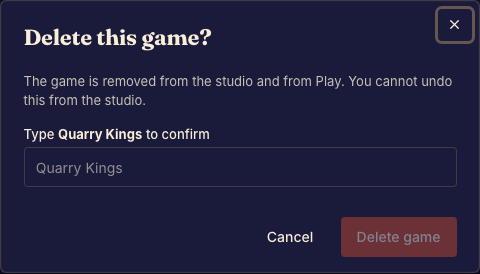
- Open the intended game in Studio and choose Delete game under Access. Done when the dialog names the game you intend to remove.
- Read the confirmation and type the game's name as requested. Done when the confirmation accepts the name.
- Confirm deletion. Done when Studio returns to the dashboard and the game is no longer available through normal access.
What deletion means
The deletion action marks the game as deleted. It is not a promise of immediate erasure of every stored record or asset. Use the privacy contact path for a data-erasure question.
If you only want to stop public testing, end the public playtest instead. That lets you keep editing the project.