Publish a game
Studio currently directs publication requests to the Boardweaver team. Its publication action opens a coming-soon dialog with a Discord contact path.
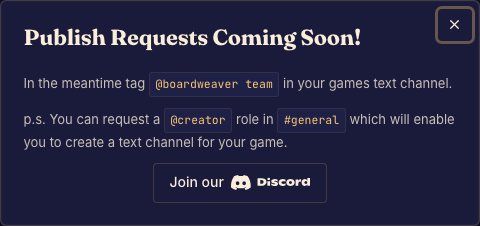
Prepare a publication request
- Commit a tested version and review its rules, game page, cover, and logo. Done when you have a specific version ready for review.
- Open Release and choose the publication action. Done when the contact dialog appears.
- Follow the contact path in that dialog and identify your game and intended version. Done when you have sent the team the information needed to discuss publication.
What the dialog does
Opening the dialog does not submit an automated review request or instantly publish the game. Use public playtesting when you want the currently supported self-service way to invite wider testing.
Keep checking the version shown in release controls before sharing a published-channel link.