Start a match
The person who creates a match is its host. The host gathers the group and starts play.
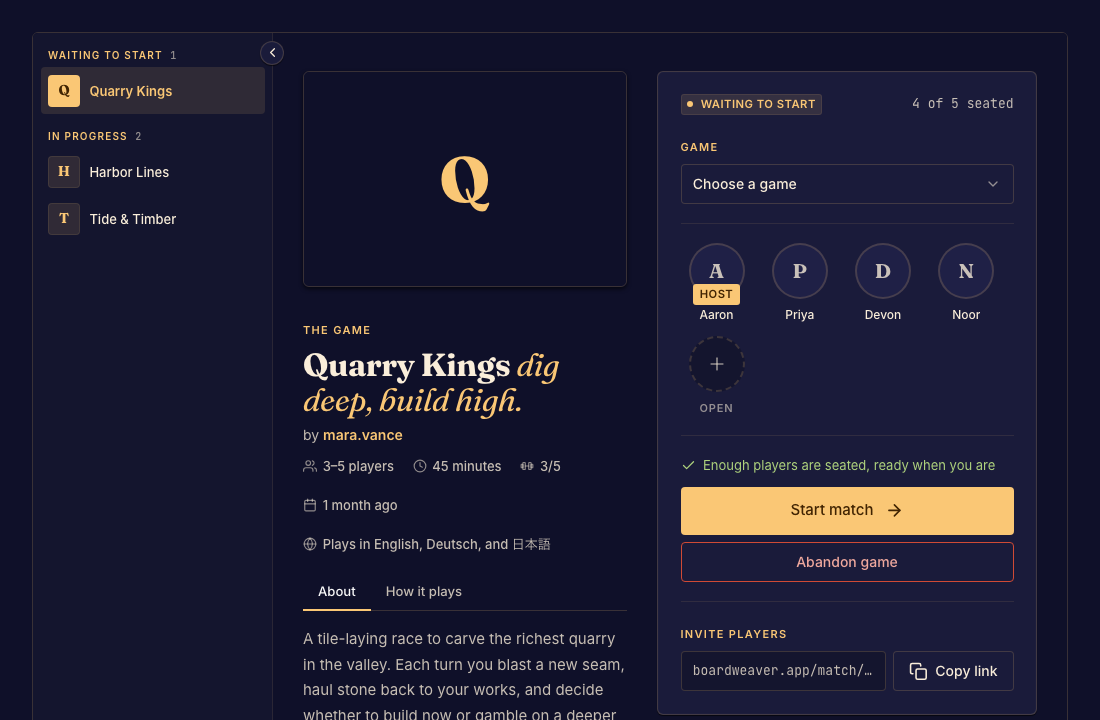
Open a lobby
- Open a game from Play or a designer's playtest link. Read the game and channel shown. Done when you have the game you intend to host.
- Choose Play and sign in if requested. Guest hosting appears only for games that allow it. Done when a waiting lobby opens with you seated.
- Copy the match link and send it to your group. Done when the other players appear in the lobby.
- Check the player count and start the game when the group is ready. Done when the lobby changes to the game board.
See Seats and starting the game if Start is unavailable. A match keeps its committed game version even when the designer releases an update.