Review moves during a match
History helps you catch up with moves made while you were away. Its availability and placement depend on the game.
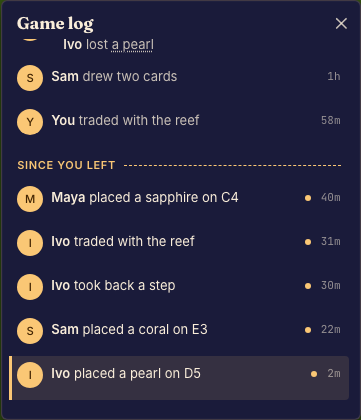

Review the action
- Open the match's history or playback controls. Done when you can see earlier moves or the current playback position.
- Pause, step, or adjust playback speed using the controls provided. Done when the board shows the moment you want to inspect.
- Return to the live board before taking your next turn. Done when playback has caught up and the game shows the current position.
What history contains
A log describes the events the game records. It may omit private details or group several steps into one move. A missing history panel does not mean that a hidden universal panel can be enabled.
To revisit a finished game, use Watch a replay.