Sound settings
Sound controls affect games that supply audio. A silent game may have no sounds, or your browser may need an interaction before audio starts.
| Setting | Scope |
|---|---|
| Account sound preferences | Defaults used for your play experience. |
| Match audio controls | Music and effects for the current match where supported. |
| Mute | Silences the available audio without changing the game's rules. |
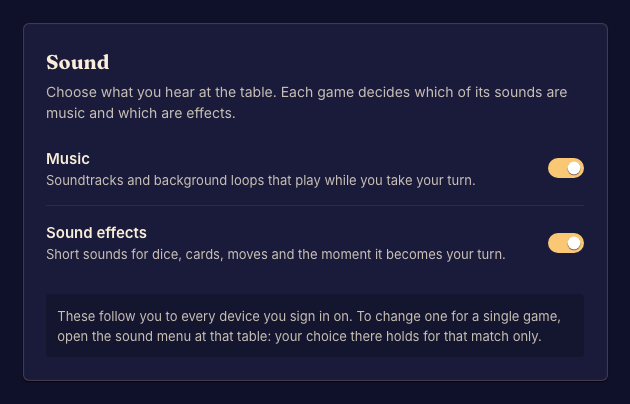
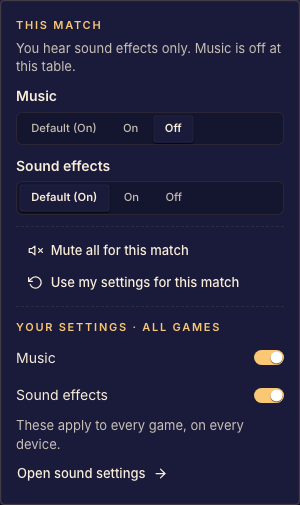
Adjust audio
Open Settings for your defaults. During play, open the match's sound control and adjust music or effects as needed. Try a normal interaction with the page if the browser has not yet allowed playback.
The game decides when to play its sounds. A music control cannot add a soundtrack to a game that has none. If sound still fails, include the game, browser, and affected sound in your report.