Use Boardweaver on your phone
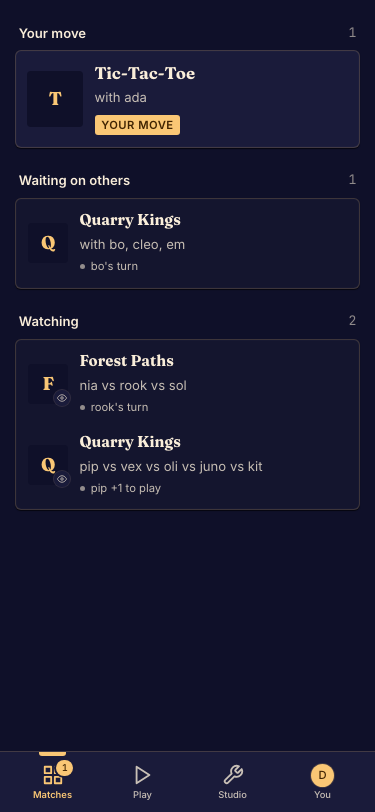
Open Boardweaver in your phone's browser. The layout puts navigation and match controls into menus and compact bars so the board has more room.
Play on a phone
- Open the game or match link. Done when you can see the lobby or board at the phone's width.
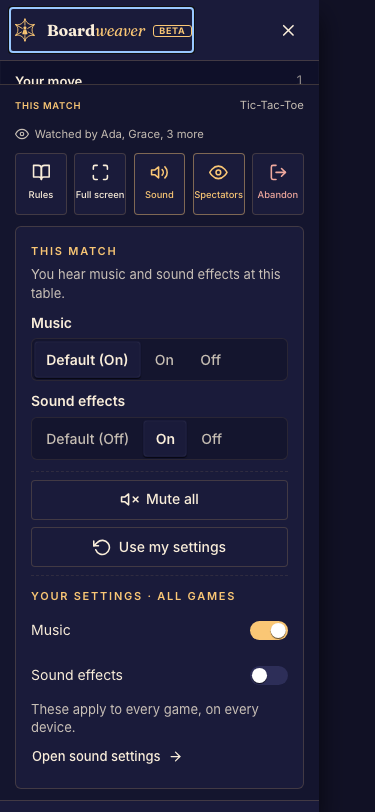
- Open the match menu for controls that are not shown beside the board. Done when you can reach rules and settings without leaving the match.
- If your browser offers installation, use its Add to Home Screen or install action. Done when the icon opens Boardweaver from your Home Screen.
Notifications
Installation and notification support vary by browser. On devices that require a Home Screen web app for push notifications, install first, then enable alerts inside that app. Follow Manage notifications.
A game's own board may have additional controls for fitting or navigating the table.