Find a game
The Play catalog shows games you can open. A public playtest may change as its designer works on it.
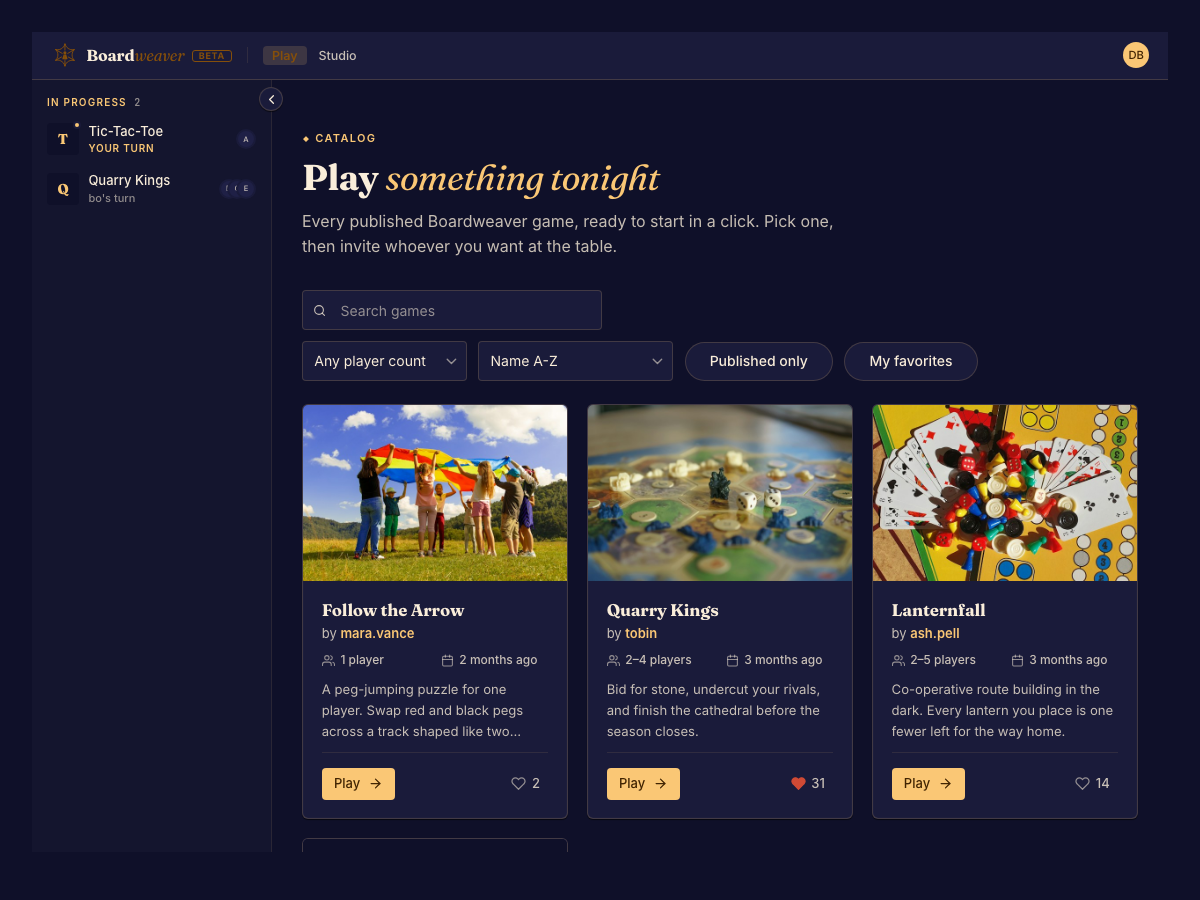
Choose a game
- Browse the catalog and use its search and filters to narrow the choices. Check player counts before inviting a group. Done when a game fits the people joining you.
- Open the game to read its description, play time, available languages, and rules. Pay attention to its release or playtest label. Done when you know which version channel you are about to play.
- Use the heart to keep a favorite, or open the game page and choose Play to begin hosting. Done when the game is saved to your favorites or its lobby opens.
A private playtest needs an invitation from the designer. Having its link does not automatically grant access. Continue with Start a match.