Play with bots
Bots are available in games whose designer has supplied bot profiles. A game without profiles will not show a bot choice.
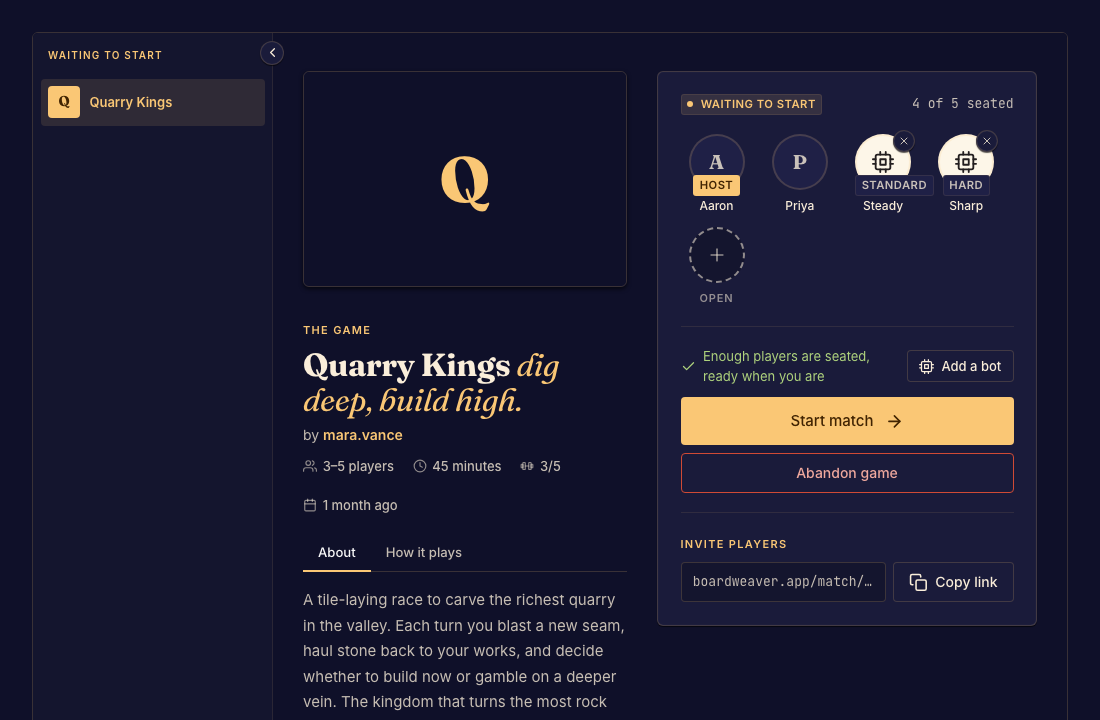
Add a bot to the lobby
- Host a waiting match and open the bot controls. Done when you can see the available profiles.
- Select a profile and any difficulty choices it provides. Done when the bot occupies a seat in the player list.
- Remove or change bots before starting, then start with a valid player count. Done when the match begins with the intended group.
Changing games or playing again
Changing the game clears its bots because profiles belong to a particular game. A rematch brings people forward but does not copy bot seats. Add the bots you want in the new lobby.
Authored bots are a framework preview feature. Availability depends on the game, not a universal difficulty setting.