Seats and starting the game
The lobby shows who will play and whether the game has enough players to start.
| Control or message | What it means |
|---|---|
| Open seat | Another player can join while the lobby accepts players. |
| Player count | The game supports particular group sizes; not every number between two sizes is necessarily allowed. |
| Start | The host starts the game once the count is valid. |
| Waiting | The lobby needs more players or the host has not started yet. |
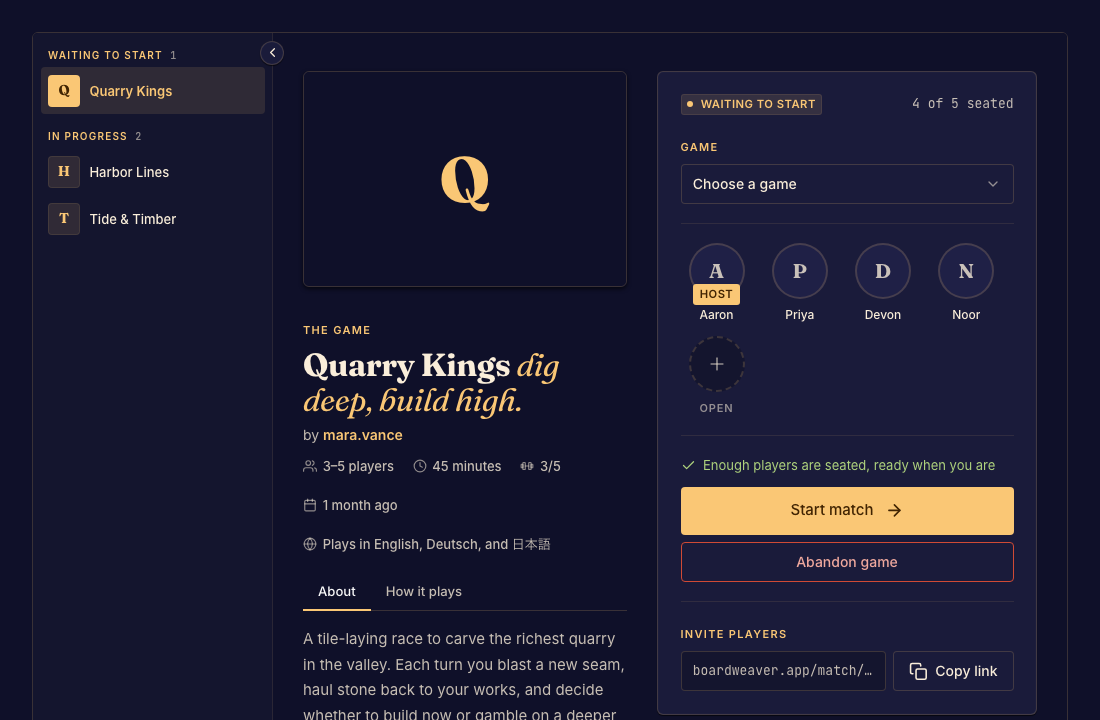
Before starting
Check that everyone is in the same lobby. Sharing the game page is different from sharing a match link. If the game supplies bots, the host can add a bot to an available seat.
After play begins, use the game's turn indicator and controls. The host's lobby role does not let them take another player's turn.