Testing a game
A game has two checks. validate_code builds the game and runs its unit tests. A match on the beta channel plays it.
validate_code
Run it after every change, before commit. It:
- builds the game logic (
/src/*.rs) and answers the compiler's errors and warnings; - runs the game logic's unit tests, below;
- builds the client (
/src/frontend.tsxand the files it imports) as a commit does, and answers each error with its file, line and column; - type-checks the client when the client and the game logic build, also when a unit test fails, below;
- compiles the rules pages (
/src/rules/*.bwss) and the marketing page (/src/marketing/*.bwss).
It answers { valid, errors, warnings, tests }. tests counts the unit tests that passed, failed and were ignored, and is absent when none ran. A game without /src/frontend.tsx is not valid, because its matches cannot load.
Unit tests
Every build runs each #[test] function in the game logic, so validate_code and commit both run them. A failed test is an error: validate_code lists it, and commit refuses with BUILD_FAILED. The tests run only when the game logic builds without errors.
Write tests in a #[cfg(test)] module. Drive a match with Match::new and apply, as a player would. This test from the tic-tac-toe seed plays a game to its end, then checks that a move after it is refused:
#[cfg(test)]
mod tests {
    use super::*;
    use boardweaver_sdk::{NewMatchInput, Refusal, Seed};

    fn seats() -> Vec<PlayerId> {
        vec![1, 2]
    }

    #[test]
    fn a_finished_game_offers_nothing_and_refuses_every_move() {
        let (mut held, _) = Match::<TicTacToe>::new(NewMatchInput {
            players: seats(),
            bots: BTreeMap::new(),
            seed: Seed([7; 32]),
            record_patches: true,
        });
        let mut last = None;
        for cell in [0, 3, 1, 4, 2] {
            let player_id = held.state().active_player_ids[0];
            last = Some(
                held.apply(ApplyInput {
                    player_id,
                    action: Action::SpaceClick {
                        space_id: cell.to_string(),
                    },
                    seed: Some(Seed([0; 32])),
                })
                .expect("an offered move"),
            );
        }
        let finished = last.expect("five moves").evaluation;
        assert!(finished.is_game_over);
        assert!(finished.offers.is_empty());
        let loser = held.state().active_player_ids[0];
        let before = held.state().clone();
        assert_eq!(
            held.apply(ApplyInput {
                player_id: loser,
                action: Action::SpaceClick {
                    space_id: "8".to_string(),
                },
                seed: Some(Seed([0; 32])),
            }),
            Err(Refusal::NotOffered)
        );
        assert_eq!(held.state(), &before);
    }
}
To check that the game's bots finish a game, see Testing a bot.
- A test that panics fails. The error points at the panic's line and quotes its message.
#[should_panic]is refused, because a game panics by aborting. Assert on theErrthe game answers instead.#[ignore]skips a test. It counts asignored.- A test sees no files, no environment, a clock that starts at zero and randomness of zeros. Draw randomness from a
Seed, as the game logic does.
A build runs at most 200 tests, and each has a fixed amount of fuel. The limits are in Builds, limits and errors.
Driving a match in a test
A test drives the game through Match, as Boardweaver does:
| Call | Answers |
|---|---|
Match::<G>::new(NewMatchInput { players, bots, seed, record_patches }) |
(Match<G>, NewMatchOutput). NewMatchOutput has state, evaluation, used_randomness and lines. |
Match::<G>::load(LoadMatchInput { state, record_patches }) |
(Match<G>, Evaluation): a match at a state the test built. |
held.apply(ApplyInput { player_id, action, seed }) |
Result<ApplyOutput, Refusal>. ApplyOutput has patches, movements, evaluation, used_randomness, undoable and lines. |
held.state() |
&State, the true state. |
An Evaluation has these fields:
| Field | Type | Holds |
|---|---|---|
offers |
BTreeMap<PlayerId, Vec<Offer>> |
each active seat's offers, by player id |
scores |
Scores |
each seat's scores |
is_game_over |
bool |
whether the match has ended |
Match keeps no copy of its offers. Keep the evaluation of the last new, load or apply, and read evaluation.offers[&player_id].
apply refuses a step with one of these:
Refusal |
Why |
|---|---|
NotOffered |
the action is not one of the seat's offers |
InputDoesNotFit |
the command's value does not fit its offer's input |
Game(reason) |
the game logic refused it, for reason, the Message it returned |
NeedsServer |
seed is None, and the step draws randomness or reveals |
A test cannot make an Rng. Pass a Seed to new and to each apply, and the SDK draws the game's randomness from it. The same seeds give the same match every run.
Type errors
validate_code type-checks /src/frontend.tsx and every .ts and .tsx file it imports, directly or through other files, as strict TypeScript. A file the client never imports is not checked, because the client build leaves it out. It checks them against boardweaver/react, the client types in boardweaver/game (Client types) and the client libraries. Each problem is one error, Type error: <file>:<line>:<column>: <message>.
useBoard()returnsnulluntil the match arrives. Check fornullbefore you read the board.fetch,window,documentandlocalStoragedo not exist. The frame blocks them, so a client that uses them fails in a match.
The type check runs whenever the game logic builds, also when a unit test fails, against the client types that build gives. When the game logic does not build, boardweaver/game holds the client types of the last commit, so it would report a field you just added as missing: the type check does not run. Fix the game logic errors first.
A commit does not type-check, so a client with type errors still commits. Fix every type error before you commit: each one is a mistake a player meets in a match.
validate_code runs no game code but the unit tests, so it finds a wrong intent, a missing reveal or a panic only where a test reaches it. Check those by reading the code against Offers, intents and decisions and Hidden information, and write a test for each one you fix.
How to read its errors: Builds, limits and errors.
Playing a session
Play the game logic with the play tools before you commit. A session runs the worktree's game logic in Boardweaver's game runner. It writes no match and changes nothing in the game.
- Call
start_gamewith the game's id. It builds the game logic ascommitdoes, seats players1tonumPlayersor starts at astateyou pass, and answers each active player'soffers. - Call
apply_actionwith a player id and one offer'saction. A step that ends the decision commits it, and the answer holds its log lines, each with itstextin the default locale. Any other step leaves the decision open, and the answer lists the offers after it. - Call
inspect_stateto read the true state and the last committed decision's log lines. Passviewerto read what one seat or a spectator sees. - Call
set_stateto write a state, or one path in it such asmetaData.round, to test a position without playing to it. - Call
render_gameto see the client as one seat sees the board:format: "html"for its markup and CSS,format: "image"for a screenshot. While a seat has an open decision, that seat sees the board after its steps.start_gamebuilds the client with the session, so start a new session after you edit it. A client that does not build leaves the session unrenderable, andstart_game'swarningssays why. Passlocaleto show the game in one of its locales, or inen-XA(Checking a locale).
Use a session to check what a build cannot: that each state offers what the rules allow, that each decision ends where it should (Offers, intents and decisions), and that each seat's view hides what it must (Hidden information).
A render shows one board at rest: no steps play, and the client can take no action. Check moves, drafts and Undo in a match on the beta channel.
Playing on the beta channel
Each commit becomes the game's beta channel. A person plays a match there to test the game:
- Play once at each seat count the game allows.
- Play to the end, and check the winner and the scores.
- Try undo, a refused move, and a reload in the middle of a decision.
- For hidden information, watch from two seats and as a spectator: each must see only what it may.
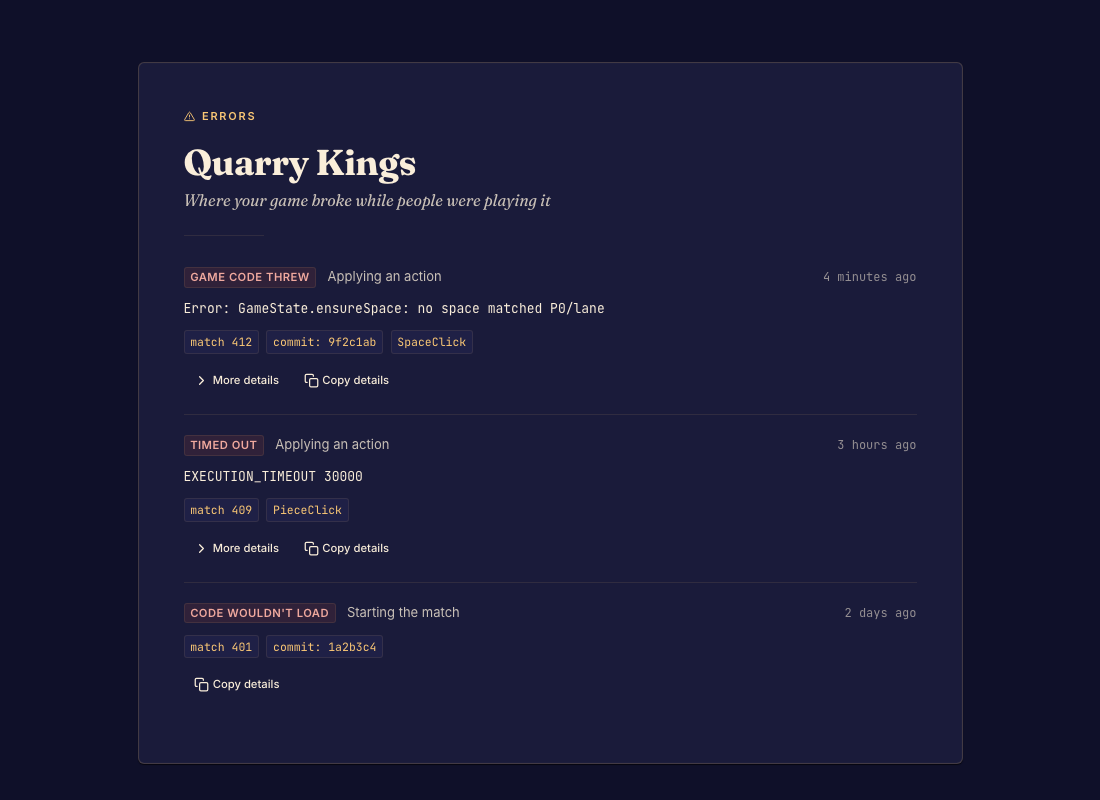
When a move fails in a match, the game's studio lists the match error with its code (GAME_FAILED, EXECUTION_TIMEOUT) and the panic message.