Layout and appearance
Assets and presentation
useImage(GameImage.Something)resolves a game image to a URL for<img src>. Image keys come from the same per-gameGameImageenum exported by"boardweaver"that/src/game.tsuses.useGameTheme()returns the game's validated/theme.jsondocument; pair it withuseColorMode()to pick the light or dark side of each color pair.useViewport()gives the frame's current size in CSS pixels and re-renders on change.
On a phone
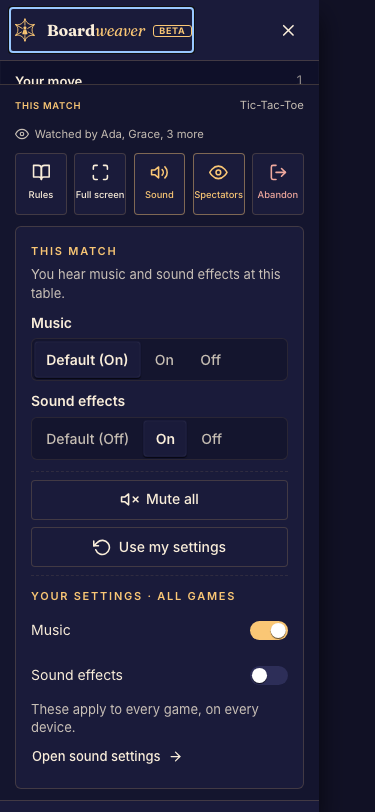
Below 768 px wide, the frame fills the whole screen. Boardweaver shows no top bar, sidebar or action bar during a match. The one control it keeps is the Boardweaver mark: a 44 px round button, 12 px in from a corner of the frame, floating over your game. Players tap it to switch matches and drag it to any of the four corners. It starts in the top-left corner.
Keep controls a player must reach (buttons, a hand of cards) out of a 56 px square in each corner, or make sure the mark covering one of them never blocks a move.
Derived hooks
All of these compute from optimistic state and are memoized on (match.state, viewingPlayerId) : they recompute only when the state object itself changes, and otherwise return the same reference.
| Hook | Returns |
| -------------------------- | ------------------------------------------------------------------------------------------------------------------------------------------------------------------------------- | ---------------------------------- |
| useGameState<MetaData>() | Rich def-backed GameState : game.piece(id), game.spaces("kind"), game.metaData, the same API /src/game.ts uses. |
| useSelf() | { playerId, isActive } : who is viewing, and whether it's their turn. |
| usePlayers() | All players in seating order. Other players' privateState is null (scrubbed server-side). |
| useScores() | Your getPlayerScores on optimistic state, keyed by playerId. |
| useIsGameOver() | Your isGameOver on optimistic state. |
| useButtons() | Your getButtons for the viewing player. Render disabled ones inert : clicking fails with INVALID_ACTION. |
| useAvailableActions() | Your getAvailableActions : every legal action right now, each already a ClickAction plus its intent ("choice" \| "confirm" \| "cancel" \| "undo") and optional label. |
| useSelectableItems() | Legacy. Your getSelectableItems : legal click targets only. Empty for a game that defines getAvailableActions. |
| useImage(key) | A URL for <img src>. key is a GameImage member. |
| useSounds() | The game's sound player: play(key, { type: "music" \| "effect", loop?, volume? }) and stopAll(type?). key is a GameSound member. See v2-sounds. |
| useAudioSettings() | { music, effects }: what the viewer hears right now. useSounds already applies it. |
| useGameTheme() | The validated /theme.json document. |
| useViewport() | { width, height } of the frame, in CSS pixels. Re-renders on change. |
| useColorMode() | "light" | "dark" : the viewer's preference. |
Derived values are produced by calling your own backend functions on optimistic state : the same code the server runs. You never duplicate rules on the client.
useAvailableActions() : the legal moves, ready to click
Each entry's action is already a ClickAction, so there is no id to look up and no shape to translate:
const available = useAvailableActions();

// Index by target to drive the board...
const bySpace = useMemo(() => {
  const map = new Map<string, ClickAction>();
  for (const { action } of available) {
    if (action.spaceId !== undefined) map.set(action.spaceId, action);
  }
  return map;
}, [available]);

// ...and filter by intent to drive the controls.
const commits = available.filter((a) => a.intent === "confirm");
intent is where the extra information lives: confirm actions are your commit controls, cancel and undo your two different kinds of back button, and choice the clicks that only advance a decision in progress. See v2-hooks for how the game picks them.